All posts by jonskeet

Mad props to @arcaderage for the "Princess Rescue" image - see https://toggl.com/programming-princess for the full original

OMG Ponies!!! (Aka Humanity: Epic Fail)

(Meta note: I tried to fix the layout for this, I really did. But my CSS skills are even worse than Tony’s. If anyone wants to send me a complete sample of how I should have laid this out, I’ll fix it up. Otherwise, this is as good as you’re going to get :)

Last week at Stack Overflow DevDays, London I presented a talk on how humanity had made life difficult for software developers. There’s now a video of it on Vimeo – the audio is fairly poor at the very start, but it improves pretty soon. At the very end my video recorder ran out of battery, so you’ve just got my slides (and audio) for that portion. Anyway, here’s my slide deck and what I meant to say. (A couple of times I forgot exactly which slide was coming next, unfortunately.)

Click on any thumbnail for a larger view.

Good afternoon. This talk will be a little different from the others we’ve heard today… Joel mentioned on the podcast a long time ago that I’d talk about something "fun and esoteric" – and while I personally find C# 4 fun, I’m not sure that anyone could really call it esoteric. So instead, I thought I’d rant for half an hour about how mankind has made our life so difficult.

By way of introduction, I’m Jon Skeet. You may know me from questions such as Jon Skeet Facts, Why does Jon Skeet never sleep? and a few C# questions here and there. This is Tony the Pony. He’s a developer, but I’m afraid he’s not a very good one.

(Tony whispers) Tony wants to make it clear that he’s not just a developer. He has another job, as a magician. Are you any better at magic than development then? (Tony whispers) Oh, I see. He’s not very good at magic either – his repertoire is extremely limited. Basically he’s a one trick pony.

Anyway, when it comes to software, Tony gets things done, but he’s not terribly smart. He comes unstuck with some of the most fundamental data types we have to work with. It’s really not his fault though – humanity has let him down by making things just way too complicated.

You see, the problem is that developers are already meant to be thinking about difficult things… coming up with a better widget to frobjugate the scarf handle, or whatever business problem they’re thinking about. They’ve really got enough to deal with – the simple things ought to be simple.

Unfortunately, time and time again we come up against problems with core elements of software engineering. Any resemblance between this slide and the coding horror logo is truly coincidental, by the way. Tasks which initially sound straightforward become insanely complicated. My aim in this talk is to distribute the blame amongst three groups of people.

First, let’s blame users – or mankind as a whole. Users always have an idea that what they want is easy, even if they can’t really articulate exactly what they do want. Even if they can give you requirements, chances are those will conflict – often in subtle ways – with requirements of others. A lot of the time, we wouldn’t even think of these problems as "requirements" – they’re just things that everyone expects to work in "the obvious way". The trouble is that humanity has come up with all kinds of entirely different "obvious ways" of doing things. Mankind’s model of the universe is a surprisingly complicated one.

Next, I want to blame architects. I’m using the word "architect" in a very woolly sense here. I’m trying to describe the people who come up with operating systems, protocols, libraries, standards: things we build our software on top of. These are the people who have carefully considered the complicated model used by real people, stroked their beards, and designed something almost exactly as complicated, but not quite compatible with the original.
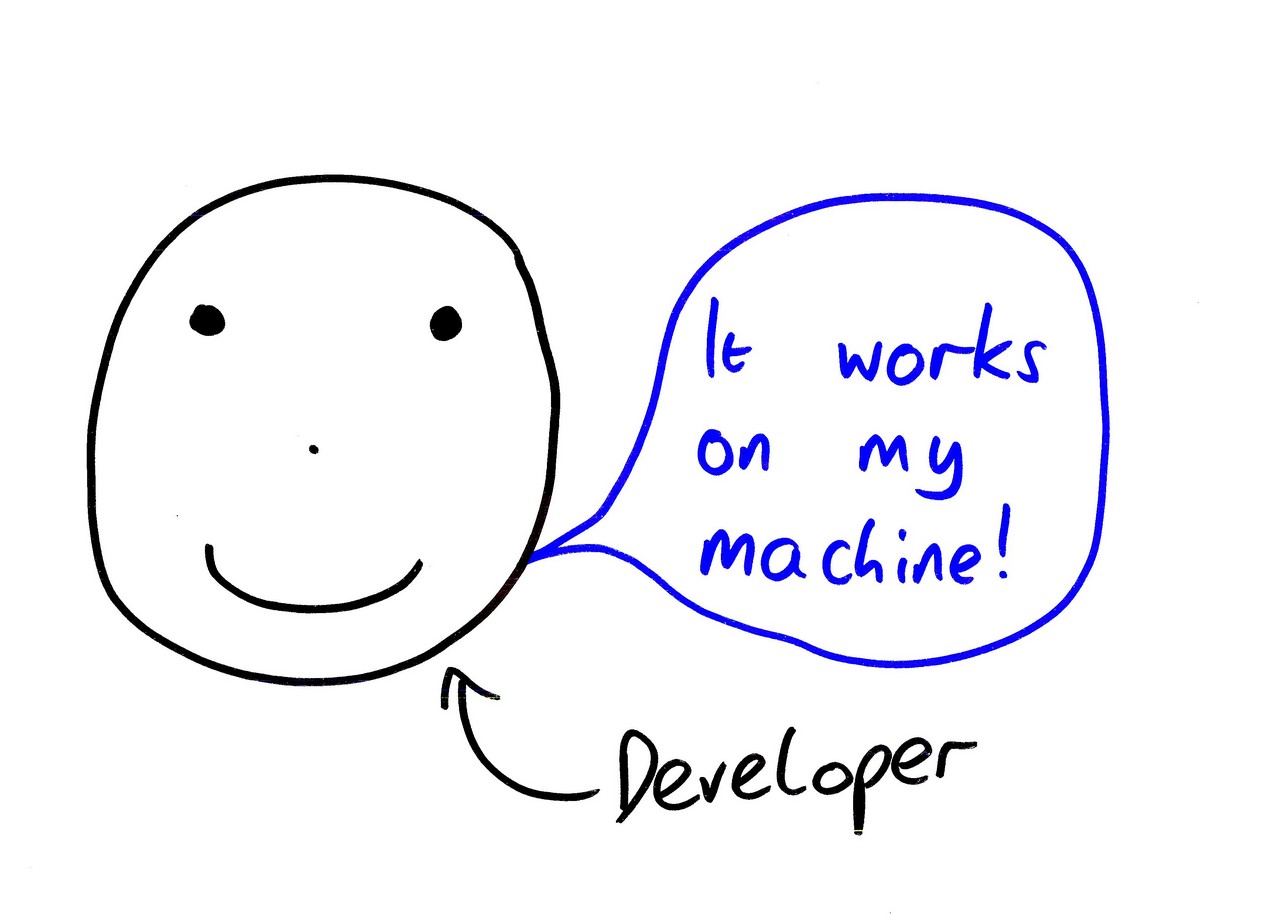
Finally, I’m going to blame us – common or garden developers. We have four problems: first, we don’t understand the complex model designed by mankind. Second, we don’t understand the complex model designed by the architects. Third, we don’t understand the applications we’re trying to build. Fourth, even when we get the first three bits right individually, we still screw up when we try to put them together.

For the rest of this talk, I’m going to give three examples of how things go wrong. First, let’s talk about numbers.

You would think we would know how numbers work by now. We’ve all been doing maths since primary school. You’d also think that computers knew how to handle numbers by now – that’s basically what they’re built on. How is it that we can search billions of web pages in milliseconds, but we can’t get simple arithmetic right? How many times are we going to see Stack Overflow questions along the lines of "Is double multiplication broken in .NET?"

I blame evolution.

We have evolved with 8 fingers and 2 thumbs – a total of 10 digits. This was clearly a mistake. It has led to great suffering for developers. Life would have been a lot simpler if we’d only had eight digits.

Admittedly this gives us three bits, which isn’t quite ideal – but having 16 digits (fourteen fingers and two thumbs) or 4 digits (two fingers and two thumbs) could be tricky. At least with eight digits, we’d be able to fit in with binary reasonably naturally. Now just so you don’t think I’m being completely impractical, there’s another solution – we could have just counted up to eight and ignored our thumbs. Indeed, we could even have used thumbs as parity bits. But no, mankind decided to count to ten, and that’s where all the problems started.

Now, Tony – here’s a little puzzle for you. I want you to take a look at this piece of Java code (turn Tony to face screen). (Tony whispers) What do you mean you don’t know Java? All right, here’s the C# code instead…

Is that better? (Tony nods enthusiastically) So, Tony, I want you to tell me the value of d after this line has executed. (Tony whispers)

Tony thinks it’s 0.3 Poor Tony. Why on earth would you think that? Oh dear. Sorry, no it’s not.

No, you were certainly close, but the exact value is:

0.299999 – Well, I’m not going to read it all out, but that’s the exact value. And it is an exact value – the compiler has approximated the 0.3 in the source code to the nearest number which can be exactly represented by a double. It’s not the computer’s fault that we have this bizarre expectation that a number in our source code will be accurately represented internally.

Let’s take a look at two more numbers… 5 and a half in both cases. Now it doesn’t look like these are really different – but they are. Indeed, if I were representing these two numbers in a program, I’d quite possibly use different types for them. The first value is discrete – there’s a single jump from £5.50 to £5.51, and those are exact amounts of money… whereas when we measure the mass of something, we always really mean “to two decimal places” or something similar. Nothing weighs exactly five and a half kilograms. They’re fundamentally different concepts, they just happen to have the same value. What do you do with them? Well, continuous numbers are often best represented as float/double, whereas discrete decimal numbers are usually best represented using a decimal-based type.

Now I’ve ignored an awful lot of things about numbers which can also trip us up – signed and unsigned, overflow, not-a-number values, infinities, normalised and denormal numbers, parsing and formatting, all kinds of stuff. But we should move on. Next stop, text.
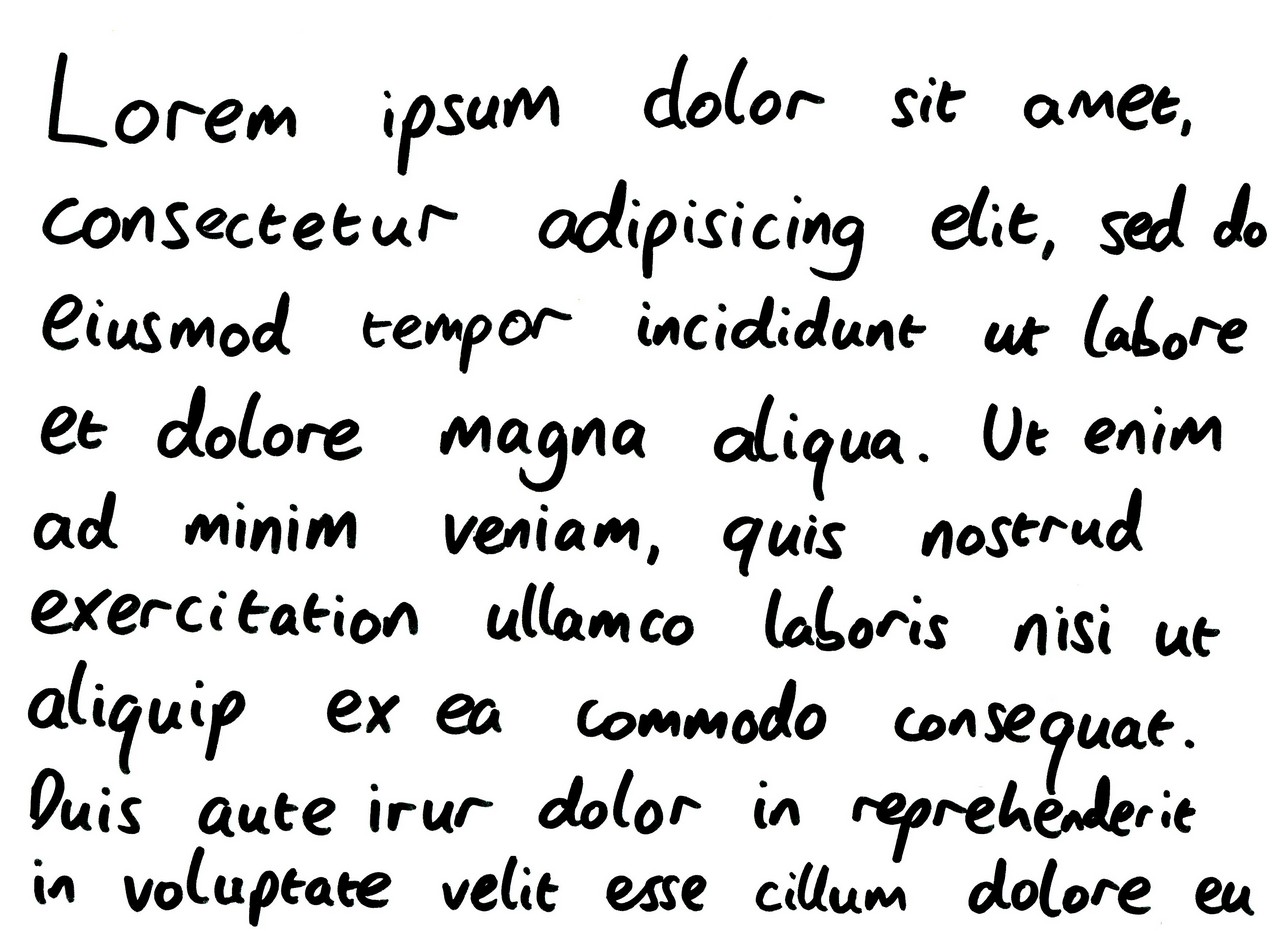
Okay, so numbers aren’t as simple as we’d like them to be. Text ought to be easy though, right? I mean, my five year old son can read and write – how hard can it be? One bit of trivia – when I originally copied this out by hand, I missed out "ipsum." Note to self: if you’re going to copy out "lorem ipsum" the two words you really, really need to get at least those words right. Fail.

Of course, I’m sure pretty much everyone here knows that text is actually a pain in the neck. Again, I will blame humanity. Here we have two sets of people using completely different characters, speaking different languages, and quite possibly reading in different directions. Apologies if the characters on the right accidentally spell a rude word, by the way – I just picked a few random Kanji characters from the Unicode charts. (As pointed out in the comments, these aren’t actually Kanji characters anyway. They’re Katakana characters. Doh!) Cultural diversity has screwed over computing, basically.

However, let’s take the fact that we’ve got lots of characters as a given. Unicode sorts all that out, right? Let’s see. Time for a coding exercise – Tony, I’d like you to write some code to reverse a string. (Tony whispers) No, I’m not going to start up Visual Studio for you. (Tony whispers) You’ve magically written it on the next slide? Okay, let’s take a look.
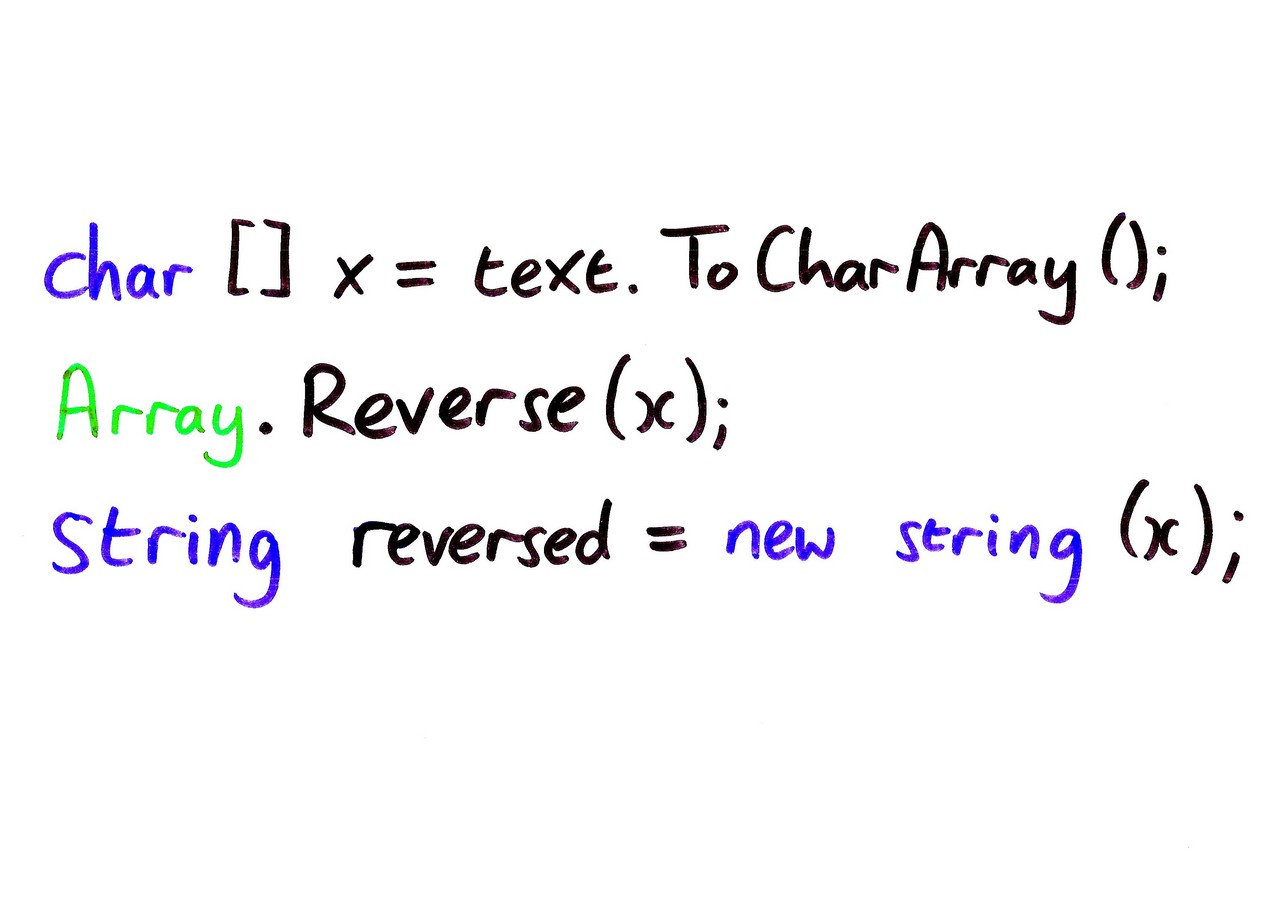
Well, this looks quite promising. We’re taking a string, converting it into a character array, reversing that array, and then building a new string. I’m impressed, Tony – you’ve avoided pointless string concatenation and everything. (Tony is happy.) Unfortunately…
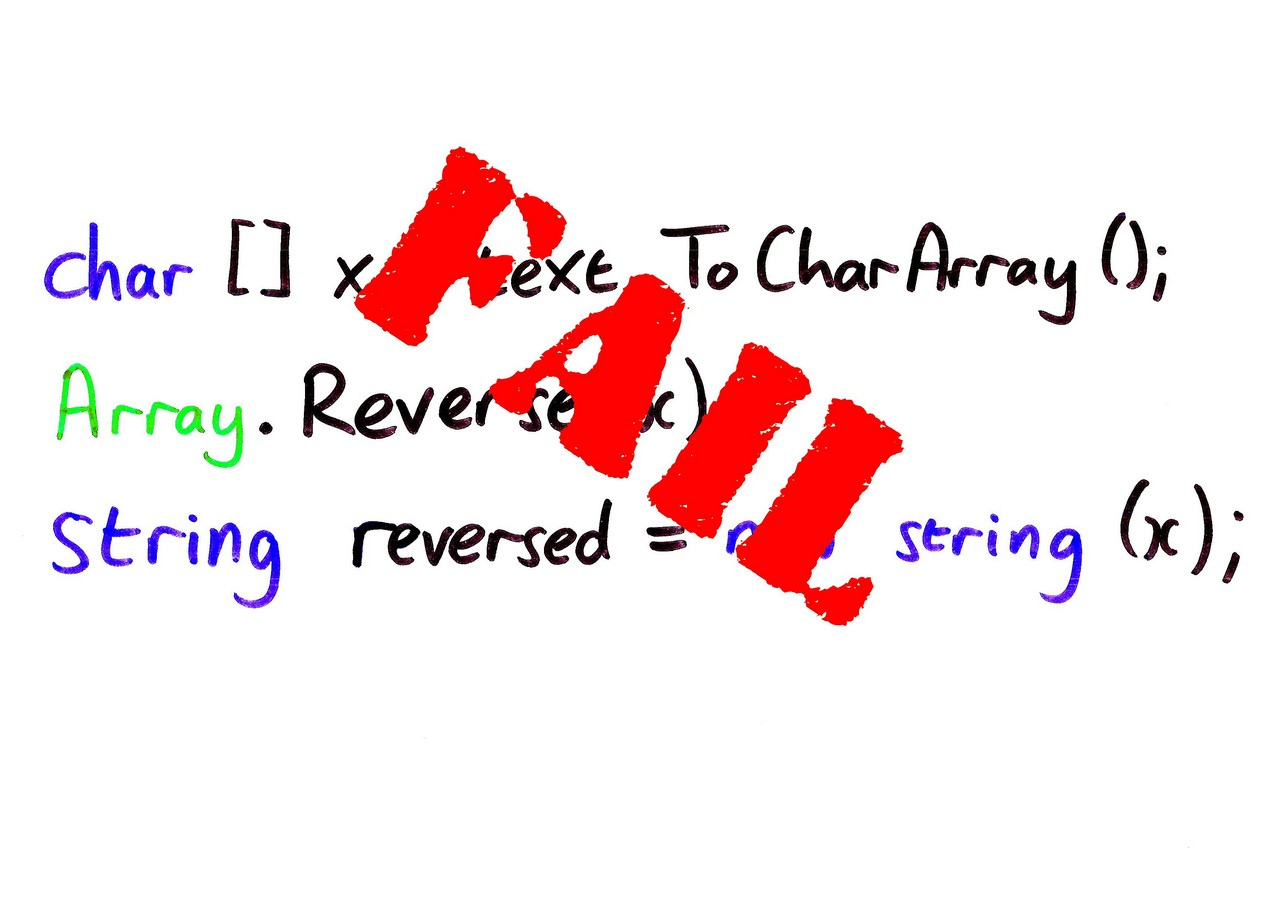
… it’s broken. I’m just going to give one example of how it’s broken – there are lots of others along the same lines. Let’s reverse one of my favourite musicals…
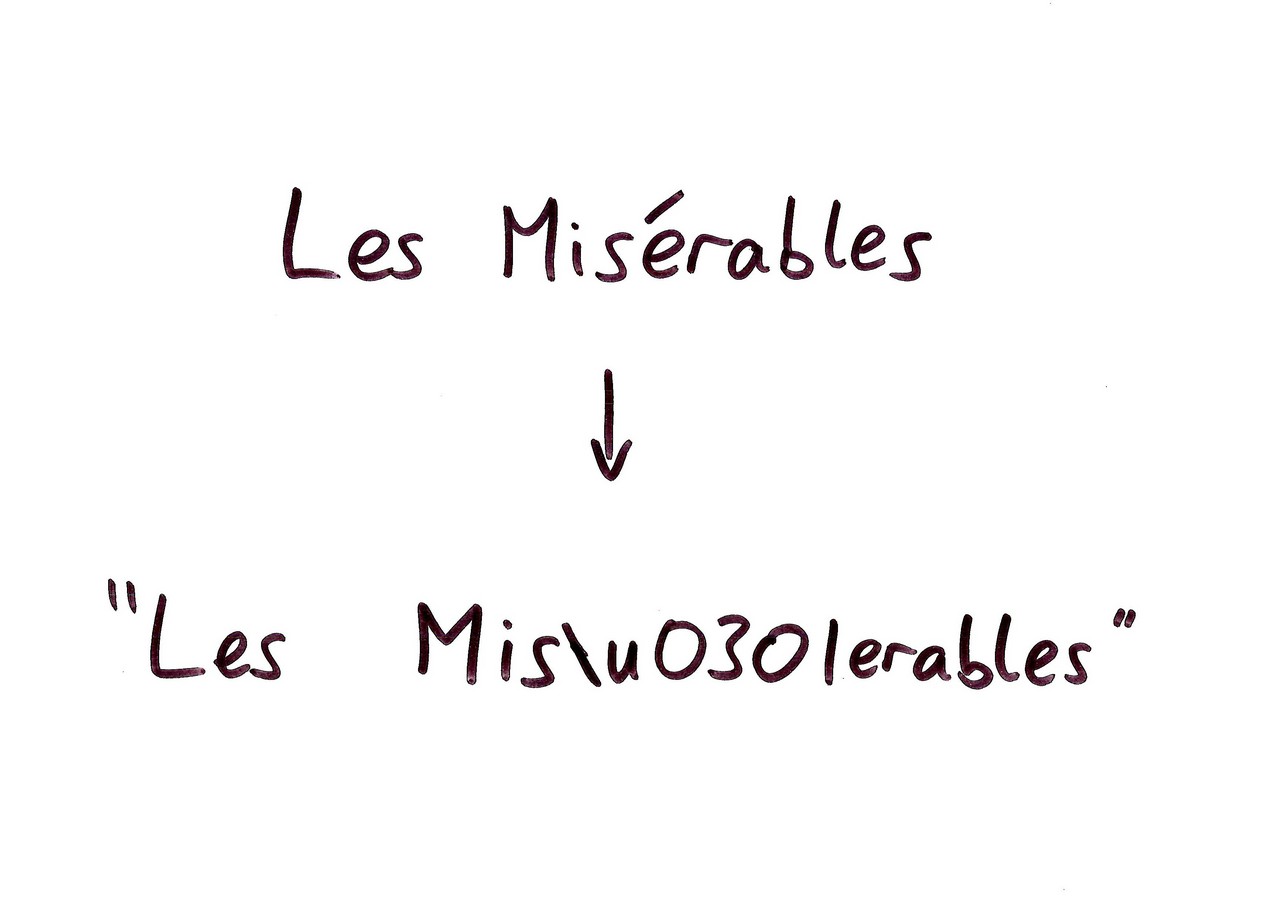
Here’s one way of representing Les Miserables as a Unicode string. Instead of using one code point for the “e acute”, I’ve used a combining character to represent the accent, and then an unaccented ASCII e. Display this in a GUI, and it looks fine… but when we apply Tony’s reversing code…
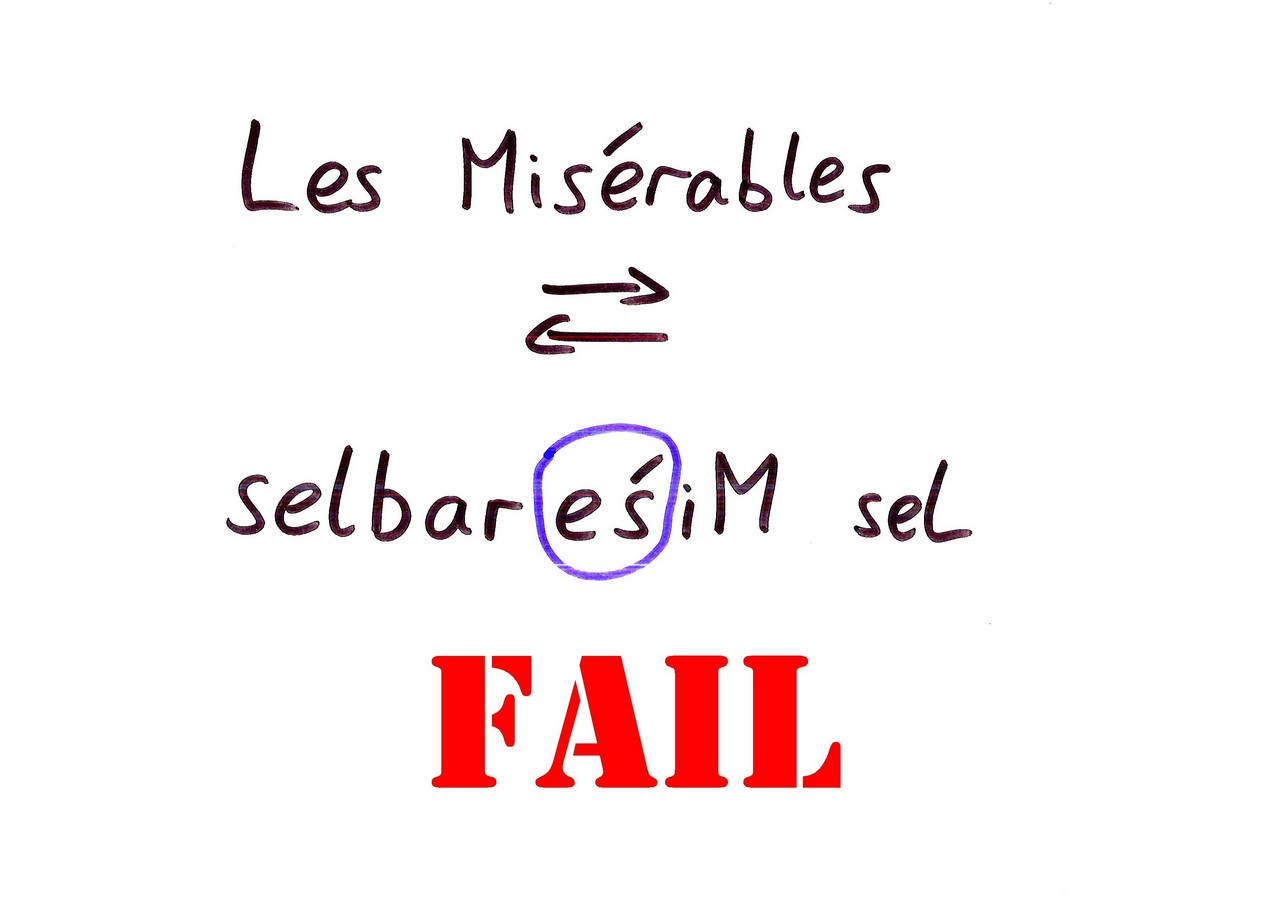
… the combining character ends up after the e, so we get an “s acute” instead. Sorry Tony. The Unicode designers with their fancy schemes have failed you.

EDIT: In fact, not only have the Unicode designers made things difficult, but so have implementers. You see, I couldn’t remember whether combining characters came before or after base characters, so I wrote a little Windows Forms app to check. That app displayed "Les Misu0301erables" as "Les Misérables". Then, based on the comments below, I checked with the standard – and the Unicode combining marks FAQ indicates pretty clearly that the base character comes before the combining character. Further failure points to both me and someone in Microsoft, unless I’m missing something. Thanks to McDowell for pointing this out in the comments. If I ever give this presentation again, I’ll be sure to point it out. WPF gets it right, by the way. Update: this can be fixed in Windows Forms by setting the UseCompatibleTextRendering property to false (or setting the default to false). Apparently the default is set to false when you create a new WinForms project in VS2008. Shame I tend to write "quick check" programs in a plain text editor…

Of course the basic point about reversal still holds, but with the correct starting string you’d end up with an acute over the r, not the s.

It’s not like the problems are solely in the realm of non-ASCII characters though. I present to you…

A line break. Or rather, one of the representations of a line break. As if the natural cultural diversity of humanity hasn’t caused enough problems, software decided to get involved and have line break diversity. Heck, we’re not even just limited to CR, LF and CRLF – Unicode has its own special line terminator character as well, just for kicks.

To prove this isn’t just a problem for toy examples, here’s something that really bit me, back about 9 or 10 years ago. Here’s some code which tries to do a case-insensitive comparison for the text "MAIL" in Java. Can anyone spot the problem?

It fails in Turkey. This is reasonably well known now – there’s a page about the “Turkey test” encouraging you to try your applications in a Turkish locale – but at the time it was a mystery to me. If you’re not familiar with this, the problem is that if you upper-case an “i” in Turkish, you end up with an “I” with a dot on it. This code went into production, and we had a customer in Turkey whose server was behaving oddly. As you can imagine, if you’re not aware of that potential problem, it can take a heck of a long time to find that kind of bug.

Here’s some code from a newsgroup post. It’s somewhat inefficient code to collapse multiple spaces down to a single one. Leaving aside the inefficiency, it looks like it should work. This was before we had String.Contains, so it’s using IndexOf to check whether we’ve got a double space. While we can find two spaces in a row, we’ll replace any occurrence of two spaces with a single space. We’re assigning the result of string.Replace back to the same variable, so that’s avoided one common problem… so how could this fail?
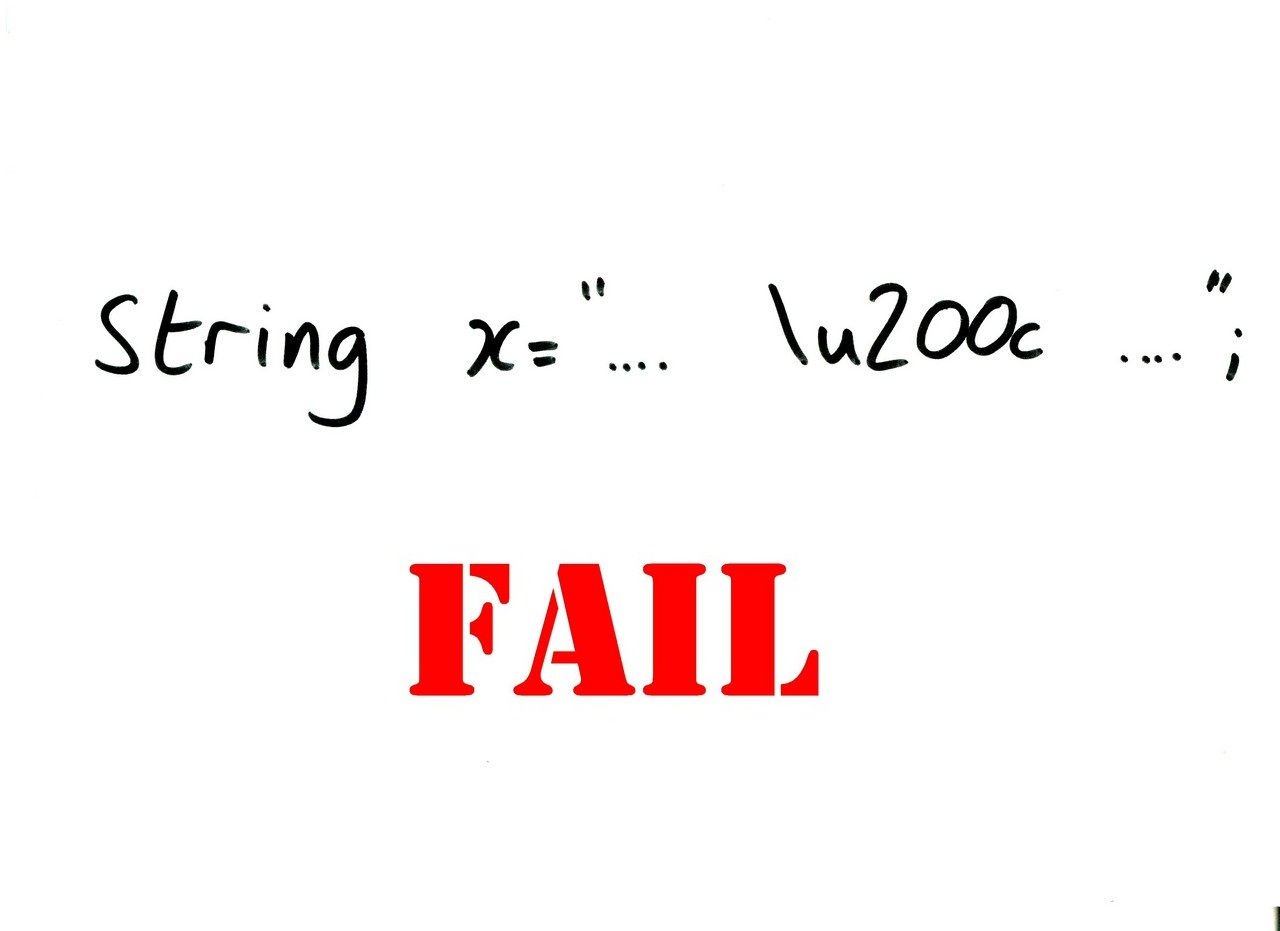
This string will cause that code to go into a tight loop, due to this evil character here. It’s a "zero-width non-joiner" – basically a hint that the two characters either side of it shouldn’t be squashed up too closely together. IndexOf ignores it, but Replace doesn’t. Ouch.

Now I’m not showing these examples to claim I’m some sort of Unicode expert – I’m really, really not. These are just corner cases I happen to have run into. Just like with numbers, I’ve left out a whole bunch of problems like bidi, encodings, translation, culture-sensitive parsing and the like.

Given the vast array of writing systems the world has come up with – and variations within those systems – any attempt to model text is going to be complicated. The problems come from the inherent complexity, some additional complexity introduced by things like surrogate pairs, and developers simply not having the time to become experts on text processing.

So, we fail at both numbers and text. How about time?
I’m biased when it comes to time-related problems. For the last year or so I’ve been working on the Google’s implementation of ActiveSync, mostly focusing on the calendar side of things. That means I’ve been exposed to more time-based code than most developers… but it’s still a reasonably common area, as you can tell from the number of related questions on Stack Overflow.

To make things slightly simpler, let’s ignore relativity. Let’s pretend that time is linear – after all, most systems are meant to be modelling the human concept of time, which definitely doesn’t include relativity.

Likewise, let’s ignore leap seconds. This isn’t always a good idea, and there are some wrinkles around library support. For example, Java explicitly says that java.util.Date and Calendar may or may not account for leap seconds depending on the host support. So, it’s good to know how predictable that makes our software… I’ve tried reading various explanations of leap seconds, and always ended up with a headache. For the purposes of this talk, I’m going to assert that they don’t exist.
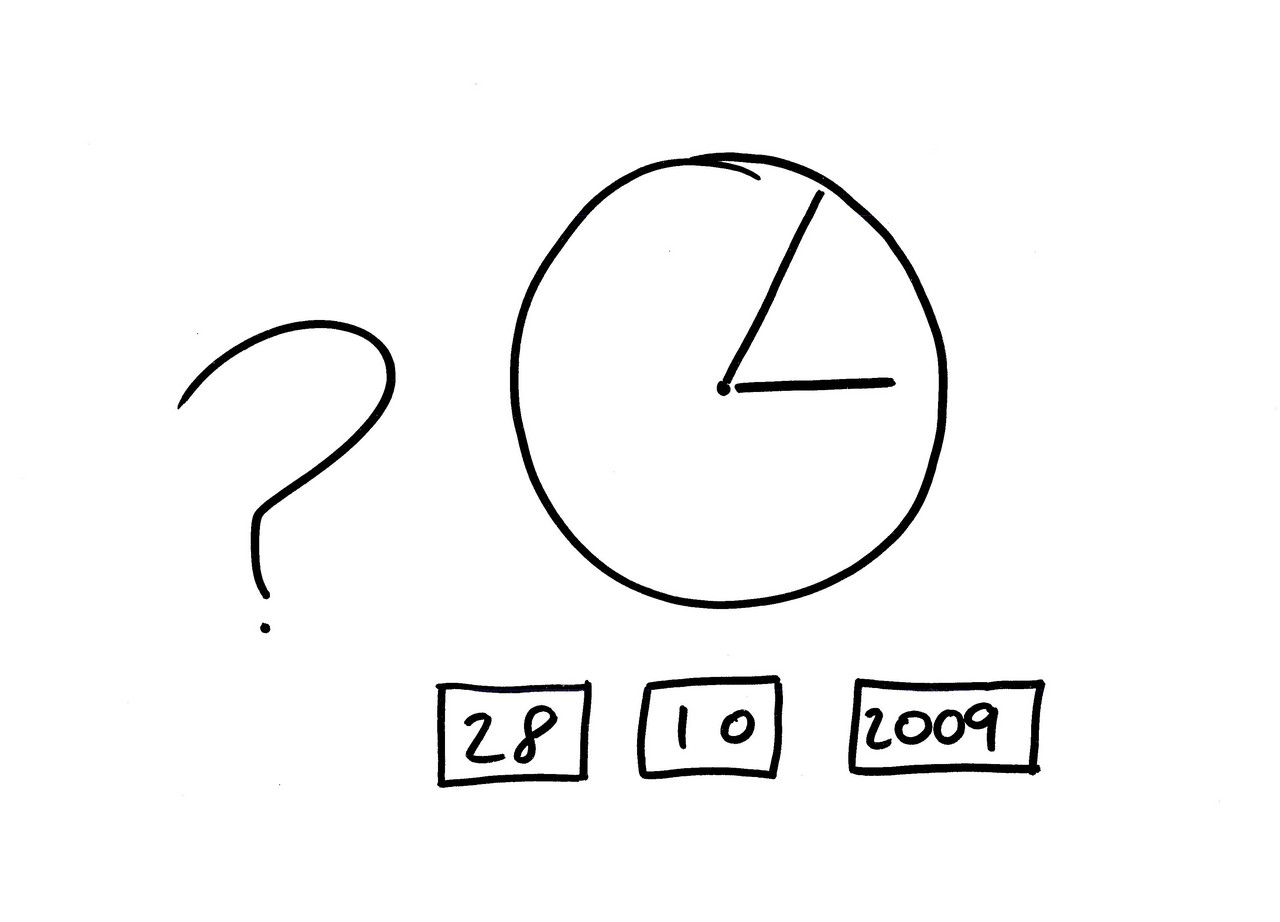
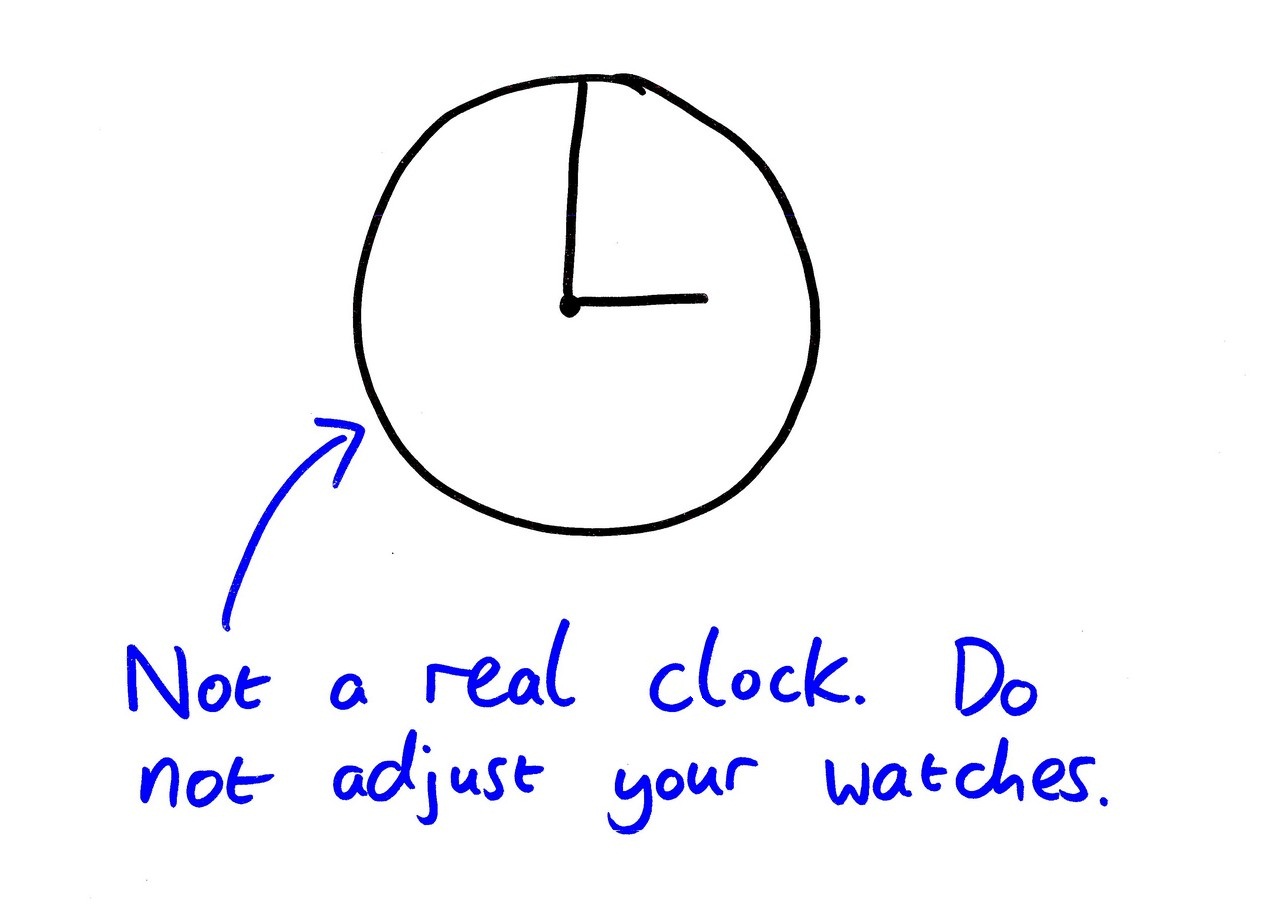
Okay, so let’s start with something simple. Tony, what’s the time on this slide? (Tony whispers) Tony doesn’t want to answer. Anyone? (Audience responds.) Yes, about 5 past 3 on October 28th. So what’s the difference between now and the time on this slide? (Audience response.) No, it’s actually nearly twelve hours… this clock is showing 5 past 3 in the morning. Tony’s answer was actually the right one, in many ways… this slide has a hopeless amount of ambiguity. It’s not as bad as it might be, admittedly. Imagine if it said October 11th… Jeff and Joel would be nearly a month out of sync with the rest of us. And then even if we get the date and the time right, it’s still ambiguous… because of time zones.
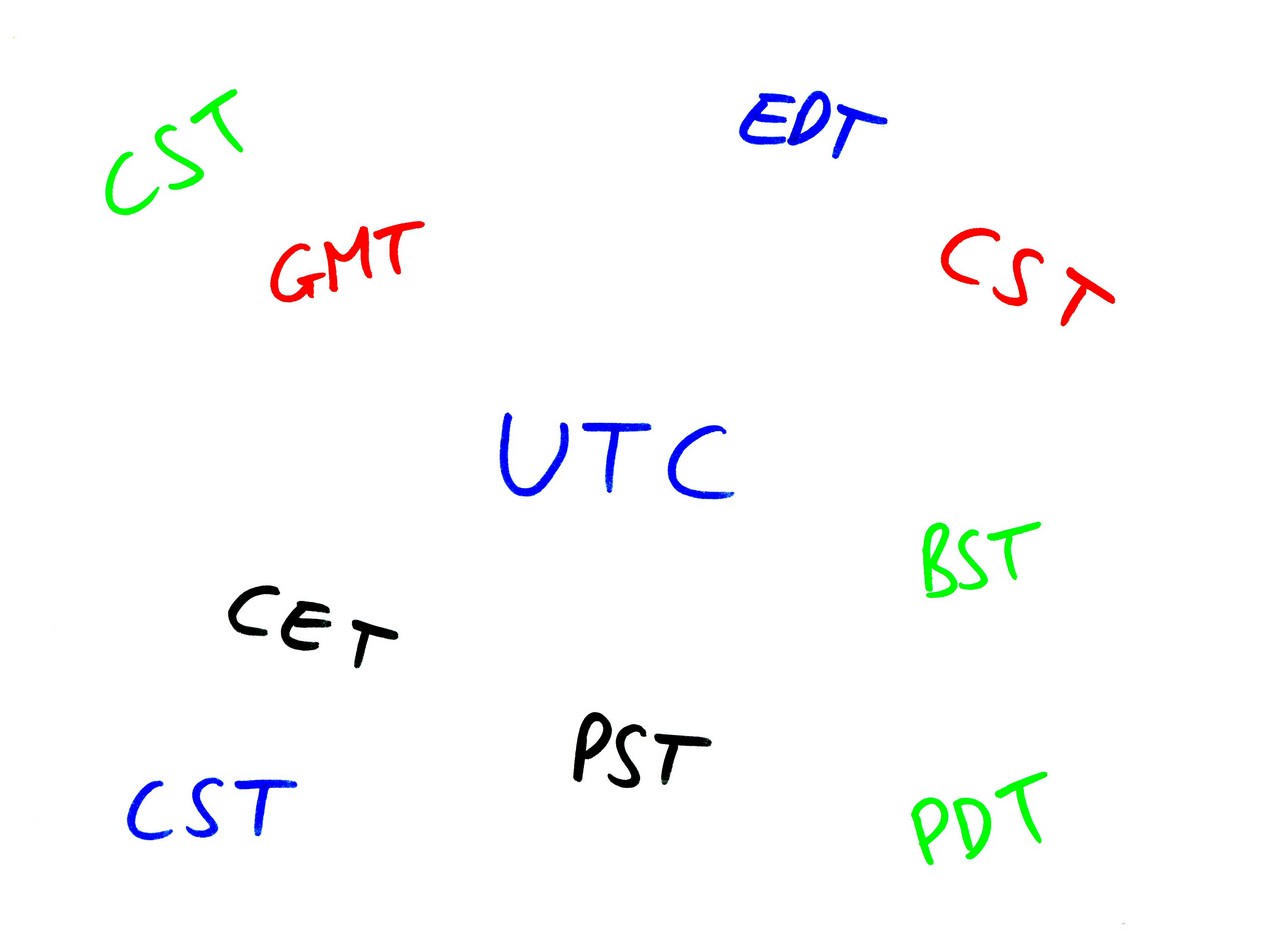
Ah, time zones. My favourite source of WTFs. I could rant for hours about them – but I’ll try not to. I’d just like to point out a few of the idiosyncrasies I’ve encountered. Let’s start off with the time zones on this slide. Notice anything strange? (Audience or whisper from Tony) Yes, CST is there three times. Once for Central Standard Time in the US – which is UTC-6. It’s also Central Standard Time in Australia – where it’s UTC+9.30. It’s also Central Summer Time in Australia, where it’s UTC+10.30. I think it takes a special kind of incompetence to use the same acronym in the same place for different offsets.

Then let’s consider time zones changing. One of the problems I face is having to encode or decode a time zone representation from a single pattern – something like "It’s UTC-3 or -2, and daylight savings are applied from the third Sunday in March to the first Sunday in November". That’s all very well until the system changes. Some countries give plenty of warning of this… but on October 7th this year, Argentina announced that it wasn’t going to use daylight saving time any more… 11 days before its next transition. The reason? Their dams are 90% full. I only heard about this due to one of my unit tests failing. For various complicated reasons, a unit test which expected to recognise the time zone for Godthab actually thought it was Buenos Aires. So due to rainfall thousands of miles away, my unit test had moved Greenland into Argentina. Fail.

If you want more time zone incidents, talk to me afterwards. It’s a whole world of pain. I suggest we move away from time zones entirely. In fact, I suggest we adopt a much simpler system of time. I’m proud to present my proposal for coffee time. This is a system which determines the current time based on the answer to the question: "Is it time for coffee?" This is what the clock looks like:

This clock is correct all over the world, is very cheap to produce, and is guaranteed to be accurate forever. Batteries not required.

So where are we?

The real world has failed us. It has concentrated on local simplicity, leading to global complexity. It’s easy to organise a meeting if everyone is in the same time zone – but once you get different continents involved, invariably people get confused. It’s easy to get writing to work uniformly left to right or uniformly right to left – but if you’ve got a mixture, it becomes really hard to keep track of. The diversity which makes humanity such an interesting species is the curse of computing.

When computer systems have tried to model this complexity, they’ve failed horribly. Exhibit A: java.util.Calendar, with its incomprehensible set of precedence rules. Exhibit B: .NET’s date and time API, which until relatively recently didn’t let you represent any time zone other than UTC or the one local to the system.
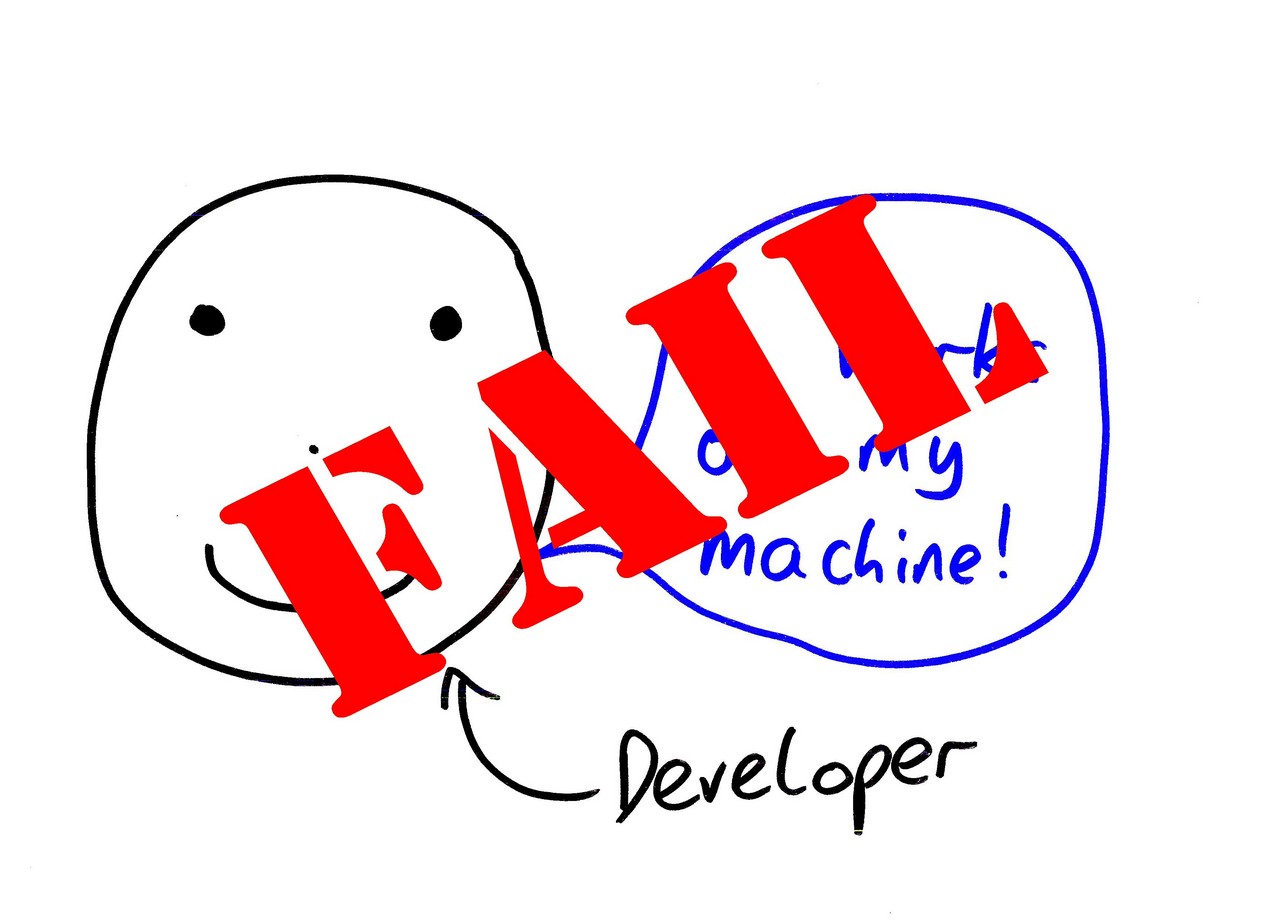
Developers have, collectively, failed to understand both the models and the real world. We only need one exhibit this time: the questions on Stack Overflow. Developers asking questions around double, or Unicode, or dates and times aren’t stupid. They’ve just been concentrating on other topics. They’ve made an assumption that the core building blocks of their trade would be simple, and it turns out they’re not.

This has all been pretty negative, for which I apologise. I’m not going to claim to have a complete solution to all of this – but I do want to give a small ray of hope. All this complexity can be managed to some extent, if you do three things.

First, try not to take on more complexity than you need. If you can absolutely guarantee that you won’t need to translate your app, it’ll make your life a lot easier. If you don’t need to deal with different time zones, you can rejoice. Of course, if you write a lot of code under a set of assumptions which then changes, you’re in trouble… but quite often you can take the "You ain’t gonna need it" approach.

Next, learn just enough about the problem space so that you know more than your application’s requirements. You don’t need to know everything about Unicode – but you need to be aware of which corner cases might affect your application. You don’t need to know everything about how denormal number representation, but you may well need to know how rounding should be applied in your reports. If your knowledge is just a bit bigger than the code you need to write, you should be able to be reasonably comfortable.

Pick the right platforms and libraries. Yes, there are some crummy frameworks around. There are also some good ones. What’s the canonical answer to almost any question about java.util.Calendar? Use Joda Time instead. There are similar libraries like ICU – written by genuine experts in these thorny areas. The difference a good library can make is absolutely enormous.

None of this will make you a good developer. Tony’s still likely to mis-spell his "main" method through force of habit. You’re still going to get off by one errors. You’re still going to forget to close database connections. But if you can at least get a handle on some of the complexity of software engineering, it’s a start.

Thanks for listening.

Contract classes and nested types within interfaces

I’ve just been going through some feedback for the draft copy of the second edition of C# in Depth. In the contracts section, I have an example like this:

[ContractClass(typeof(ICaseConverterContracts))]
public interface ICaseConverter
{
    string Convert(string text);
}

[ContractClassFor(typeof(ICaseConverter))]
internal class ICaseConverterContracts : ICaseConverter
{
    string ICaseConverter.Convert(string text)
    {
        Contract.Requires(text != null);
        Contract.Ensures(Contract.Result<string>() != null);
        return default(string);
    }

    private ICaseConverterContracts() {}
}

public class InvariantUpperCaseFormatter : ICaseConverter
{
    public string Convert(string text) 
    {
        return text.ToUpperInvariant();
    }
}

The point is to demonstrate how contracts can be specified for interfaces, and then applied automatically to implementations. In this case, ICaseConverter is the interface, ICaseConverterContracts is the contract class which specifies the contract for the interface, and InvariantUpperCaseFormatter is the real implementation. The binary rewriter effectively copies the contract into each implementation, so you don’t need to duplicate the contract in the source code.

The reader feedback asked where the contract class code should live – should it go in the same file as the interface itself, or in a separate file as normal? Now normally, I’m firmly of the "one top-level type per file" persuasion, but in this case I think it makes sense to keep the contract class with the interface. It has no meaning without reference to the interface, after all – it’s not a real implementation to be used in the normal way. It’s essentially metadata. This does, however, leave me feeling a little bit dirty. What I’d really like to be able to do is nest the contract class inside the interface, just like I do with other classes which are tightly coupled to an "owner" type. Then the code would look like this:

[ContractClass(typeof(ICaseConverterContracts))]
public interface ICaseConverter
{
    string Convert(string text);

    [ContractClassFor(typeof(ICaseConverter))]
    internal class ICaseConverterContracts : ICaseConverter
    {
        string ICaseConverter.Convert(string text)
        {
            Contract.Requires(text != null);
            Contract.Ensures(Contract.Result<string>() != null);
            return default(string);
        }

        private ICaseConverterContracts() {}
    }
}

public class InvariantUpperCaseFormatter : ICaseConverter
{
    public string Convert(string text) 
    {
        return text.ToUpperInvariant();
    }
}

That would make me feel happier – all the information to do with the interface would be specified within the interface type’s code. It’s possible that with that as a convention, the Code Contracts tooling could cope without the attributes – if interface IFoo contains a nested class IFooContracts which implements IFoo, assume it’s a contract class and handle it appropriately. That would be sweet.

You know the really galling thing? I’m pretty sure VB does allow nested types in interfaces…

MVP Again

I’m delighted to be able to announce that I’m now an MVP again.

Google has reconsidered the situation and worked out a compromise: I now receive no significant gifts from Microsoft, and I’m not under NDA with them. While that precludes me from a lot of MVP activities, it removes any concerns to do with Google’s Code of Conduct. Basically my MVP status is truly just a token of Microsoft’s recognition of what I’ve done in the C# community – and that’s fine by me.

When I announced that I’d been advised not to seek renewal, I was amazed at the scale of the reaction in the comments, other blog posts, Twitter and personal email. I was touched by the response of the community. I really love working at Google, and the fact that we could figure out a solution to this situation is definitely one of the things that makes Google such an awesome place to work. Oh, and did I mention that we’re hiring? :)

Anyway, the basic message of this post is: thanks to the community for caring, thanks to Google for reconsidering, and thanks to Microsoft for renewing my award. And they all lived happily ever after…

Migrating from Visual Studio 2010 beta 1 to beta 2 – solution file change required

Having installed Visual Studio 2010 beta 2 on my freshly-reinstalled netbook (now with Windows 7 and and SSD – yummy) I found that my solution file from Visual Studio 2010 beta 1 wasn’t recognised properly: double-clicking on the file didn’t do anything. Opening the solution file manually was absolutely fine, but slightly less convenient than being able to double-click.

After a bit of investigation, I’ve found the solution. Manually edit the solution file, and change the first few lines from this:

Microsoft Visual Studio Solution File, Format Version 11.00
# Visual Studio 10

to this:

Microsoft Visual Studio Solution File, Format Version 11.00
# Visual Studio 2010

It’s just a case of changing "10" to "2010".

Hopefully between this and the linked SuperUser post, this should avoid others feeling the same level of bafflement :)

Iterating atomically

The IEnumerable<T> and IEnumerator<T> interfaces in .NET are interesting. They crop up an awful lot, but hardly anyone ever calls them directly – you almost always use a foreach loop to iterate over the collection. That hides all the calls to GetEnumerator(), MoveNext() and Current. Likewise iterator blocks hide the details when you want to implement the interfaces. However, sometimes details matter – such as for this recent Stack Overflow question. The question asks how to create a thread-safe iterator – one that can be called from multiple threads. This is not about iterating over a collection n times independently on n different threads – this is about iterating over a collection once without skipping or duplicating. Imagine it’s some set of jobs that we have to complete. We assume that the iterator itself is thread-safe to the extent that calls from different threads at different times, with intervening locks will be handled reasonably. This is reasonable – basically, so long as it isn’t going out of its way to be thread-hostile, we should be okay. We also assume that no-one is trying to write to the collection at the same time.

Sounds easy, right? Well, no… because the IEnumerator<T> interface has two members which we effectively want to call atomically. In particular, we don’t want the collection { “a”, “b” } to be iterated like this:

Thread 1 Thread 2
MoveNext()  
  MoveNext()
Current  
  Current

That way we’ll end up not processing the first item at all, and the second item twice.

There are two ways of approaching this problem. In both cases I’ve started with IEnumerable<T> for consistency, but in fact it’s IEnumerator<T> which is the interesting bit. In particular, we’re not going to be able to iterate over our result anyway, as each thread needs to have the same IEnumerator<T> – which it won’t do if each of them uses foreach (which calls GetEnumerator() to start with).

Fix the interface

First we’ll try to fix the interface to look how it should have looked to start with, at least from the point of view of atomicity. Here are the new interfaces:

public interface IAtomicEnumerable<T>
{
    IAtomicEnumerator<T> GetEnumerator();
}

public interface IAtomicEnumerator<T>
{
    bool TryMoveNext(out T nextValue);
}

One thing you may notice is that we’re not implementing IDisposable. That’s basically because it’s a pain to do so when you think about a multi-threaded environment. Indeed, it’s possibly one of the biggest arguments against something of this nature. At what point do you dispose? Just because one thread finished doesn’t mean that the rest of them have… don’t forget that “finish” might mean “an exception was thrown while processing the job, I’m bailing out”. You’d need some sort of co-ordinator to make sure that everyone is finished before you actually do any clean-up. Anyway, the nice thing about this being a blog post is we can ignore that little thorny issue :)

The important point is that we now have a single method in IAtomicEnumerator<T> – TryMoveNext, which works the way you’d expect it to. It atomically attempts to move to the next item, returns whether or not it succeeded, and sets an out parameter with the next value if it did succeed. Now there’s no chance of two threads using the method and stomping on each other’s values (unless they’re silly and use the same variable for the out parameter).

It’s reasonably easy to wrap the standard interfaces in order to implement this interface:

/// <summary>
/// Wraps a normal IEnumerable[T] up to implement IAtomicEnumerable[T].
/// </summary>
public sealed class AtomicEnumerable<T> : IAtomicEnumerable<T>
{
    private readonly IEnumerable<T> original;

    public AtomicEnumerable(IEnumerable<T> original)
    {
        this.original = original;
    }

    public IAtomicEnumerator<T> GetEnumerator()
    {
        return new AtomicEnumerator(original.GetEnumerator());
    }

    /// <summary>
    /// Implementation of IAtomicEnumerator[T] to wrap IEnumerator[T].
    /// </summary>
    private sealed class AtomicEnumerator : IAtomicEnumerator<T>
    {
        private readonly IEnumerator<T> original;
        private readonly object padlock = new object();

        internal AtomicEnumerator(IEnumerator<T> original)
        {
            this.original = original;
        }

        public bool TryMoveNext(out T value)
        {
            lock (padlock)
            {
                bool hadNext = original.MoveNext();
                value = hadNext ? original.Current : default(T);
                return hadNext;
            }
        }
    }
}

Just ignore the fact that I never dispose of the original IEnumerator<T> :)

We use a simple lock to make sure that MoveNext() and Current always happen together – that nothing else is going to call MoveNext() between our TryMoveNext() calling it, and it fetching the current value.

Obviously you’d need to write your own code to actually use this sort of iterator, but it would be quite simple:

T value;
while (iterator.TryMoveNext(out value))
{
    // Use value
}

However, you may already have code which wants to use an IEnumerator<T>. Let’s see what else we can do.

Using thread local variables to fake it

.NET 4.0 has a very useful type called ThreadLocal<T>. It does basically what you’d expect it to, with nice features such as being able to supply a delegate to be executed on each thread to provide the initial value. We can use a thread local to make sure that so long as we call both MoveNext() and Current atomically when we’re asked to move to the next element, we can get back the right value for Current later on. It has to be thread local because we’re sharing a single IEnumerator<T> across multiple threads – each needs its own separate storage.

This is also the approach we’d use if we wanted to wrap an IAtomicEnumerator<T> in an IEnumerator<T>, by the way. Here’s the code to do it:

public class ThreadSafeEnumerable<T> : IEnumerable<T>
{
    private readonly IEnumerable<T> original;

    public ThreadSafeEnumerable(IEnumerable<T> original)
    {
        this.original = original;
    }

    public IEnumerator<T> GetEnumerator()
    {
        return new ThreadSafeEnumerator(original.GetEnumerator());
    }

    IEnumerator IEnumerable.GetEnumerator()
    {
        return GetEnumerator();
    }

    private sealed class ThreadSafeEnumerator : IEnumerator<T>
    {
        private readonly IEnumerator<T> original;
        private readonly object padlock = new object();
        private readonly ThreadLocal<T> current = new ThreadLocal<T>();

        internal ThreadSafeEnumerator(IEnumerator<T> original)
        {
            this.original = original;
        }

        public bool MoveNext()
        {
            lock (padlock)
            {
                bool ret = original.MoveNext();
                if (ret)
                {
                    current.Value = original.Current;
                }
                return ret;
            }
        }

        public T Current
        {
            get { return current.Value; }
        }

        public void Dispose()
        {
            original.Dispose();
            current.Dispose();
        }

        object IEnumerator.Current
        {
            get { return Current; }
        }

        public void Reset()
        {
            throw new NotSupportedException();
        }
    }
}

I’m going to say it one last time – we’re broken when it comes to disposal. There’s no way of safely disposing of the original iterator at “just the right time” when everyone’s finished with it. Oh well.

Other than that, it’s quite simple. This code has the serendipitous property of actually implementing IEnumerator<T> slightly better than C#-compiler-generated implementations from iterator blocks – if you call the Current property without having called MoveNext(), this will throw an InvalidOperationException, just as the documentation says it should. (It doesn’t do the same at the end, admittedly, but that’s fixable if we really wanted to be pedantic.

Conclusion

I found this an intriguing little problem. I think there are better ways of solving the bigger picture – a co-ordinator which takes care of disposing exactly once, and which possibly mediates the original iterator etc is probably the way forward… but I enjoyed thinking about the nitty gritty.

Generally speaking, I prefer the first of these approaches. Thread local variables always feel like a bit of a grotty hack to me – they can be useful, but it’s better to avoid them if you can. It’s interesting to see how an interface can be inherently thread-friendly or not.

One last word of warning – this code is completely untested. It builds, and I can’t immediately see why it wouldn’t work, but I’m making no guarantees…

Generic collections – relegate to an appendix?

(I tweeted a brief version of this suggestion and the results have been overwhelmingly positive so far, but I thought it would be worth fleshing out anyway.)

I’m currently editing chapter 3 of C# in Depth. In the first edition, it’s nearly 48 pages long – the longest in the book, and longer than I want it to be.

One of the sections in there (only 6 pages, admittedly) is a description of various .NET 2.0 collections. However, it’s mostly comparing them with the nongeneric collections from .NET 1.0, which probably isn’t relevant any more. I suspect my readership has now moved on from "I only know C# 1" to "I’ve used C# 2 and I’m reasonably familiar with the framework, but I want to know the details of the language."

I propose moving the collections into an appendix. This will mean:

  • I’ll cover all versions of .NET, not just 2.0
  • It will all be done in a fairly summary form, like the current appendix. (An appendix doesn’t need as much of a narrative structure as a main chapter, IMO.)
  • I’ll cover the interfaces as well as the classes – possibly even with pictures (type hierarchies)!
  • Chapter 3 can be a bit slimmer (although I’ve been adding a little bit here and there, so I’m not going to save a massive amount)
  • It will be easier to find as a quick reference (and I’ll write it in a way which makes it easy to use as a reference too, hopefully)
  • I don’t have to edit it right now :)

Does this sound like a plan? I don’t know why I didn’t think of it before, but I think it’s the right move. In particular, it’s in-keeping with the LINQ operator coverage in the existing appendix.

MVP no more

It’s with some sadness that I have to announce that as of the start of October, I’m no longer a Microsoft MVP.

As renewal time came round again, I asked my employer whether it was okay for me to renew, and was advised not to do so. As a result, while I enjoyed being awarded as an MVP, I’ve asked not to be considered for renewal this year.

This doesn’t mean I’m turning my back on that side of software development, of course. I’m still going to be an active member of the C# community. I’m still writing the second edition of C# in Depth. I’m still going to post on Stack Overflow. I’m still going to blog here about whatever interesting and wacky topics crop up.

I just won’t be doing so as an MVP.

Thanks to all the friends I’ve made in the MVP community and Microsoft over the last 6 years, and I wish you all the best.

Keep in touch.

An object lesson in blogging and accuracy; was: Efficient “vote counting” with LINQ to Objects – and the value of nothing

Well, this is embarrassing.

Yesterday evening, I excitedly wrote a blog post about an interesting little idea for making a particular type of LINQ query (basically vote counting) efficient. It was an idea that had occurred to me a few months back, but I hadn’t got round to blogging about it.

The basic idea was to take a completely empty struct, and use that as the element type in the results of a grouping query – as the struct was empty, it would take no space, therefore "huge" arrays could be created for no cost beyond the fixed array overhead, etc. I carefully checked that the type used for grouping did in fact implement ICollection<T> so that the Count method would be efficient; I wrote sample code which made sure my queries were valid… but I failed to check that the empty struct really took up no memory.

Fortunately, I have smart readers, a number of whom pointed out my mistake in very kind terms.

Ben Voigt gave the reason for the size being 1 in a comment:

The object identity rules require a unique address for each instance… identity can be shared with super- or sub- class objects (Empty Base Optimization) but the total size of the instance has to be at least 1.

This makes perfect sense – it’s just a shame I didn’t realise it before.

Live and learn, I guess – but apologies for the poorly researched post. I’ll attempt to be more careful next time.

API design: choosing between non-ideal options

So, UnconstrainedMelody is coming on quite nicely. It now has quite a few useful options for flags enums, "normal enums" and delegates. However, there are two conflicting limitations which leave a couple of options. (Other related answers on Stack Overflow have suggested alternative approaches, basically.)

Currently, most of the enums code is in two classes: Flags and Enums. Both are non-generic: the methods within them are generic methods, so they have type parameters (and constraints). The main benefit of this is that generic type inference only applies to generic methods, and I definitely want that for extension methods and anywhere else it makes sense.

The drawback is that properties can’t be generic. That means my API is entirely expressed in terms of methods, which can be a pain. The option to work around this is to have a generic type which properties in. This adds confusion and guesswork – what call is where?

To recap, the options are:

// Option 1 (current): all methods in a nongeneric class:
// Some calls which are logically properties end up
// as methods…
IList<Foo> foos = Enums.GetValues<Foo>();
// Type infererence for extenion methods
// Note that we couldn’t have a Description property
// as we don’t have extension properties
string firstDescription = foos[0].GetDescription();
        
// Option 2: Use just a generic type:
// Now we can use a property…
IList<Foo> foos = Enums<Foo>.Values;
// But we can’t use type inference
string firstDescription = Enums<Foo>.GetDescription(foos[0]);
        
// Option 3: Use a mixture (Enums and Enums<T>):
IList<Foo> foos = Enums<Foo>.Values;
// All looks good…
string firstDescription = foos[0].GetDescription();
// … but the user has to know when to use which class

All of these are somewhat annoying. If we only put extension methods into the nongeneric class, then I guess users would never need to really think about that – they’d pretty much always be calling the methods via the extension method syntactic sugar anyway. It still feels like a pretty arbitrary split though.

Any thoughts? Which is more important – conceptual complexity, or the idiomatic client code you end up with once that complexity has been mastered? Is it reasonable to make design decisions like this around what is essentially a single piece of syntactic sugar (extension methods)?

(By the way, if anyone ever wanted justification for extension properties, I think this is a good example… Description feels like it really should be a property.)

Generic constraints for enums and delegates

As most readers probably know, C# prohibits generic type constraints from referring to System.Object, System.Enum, System.Array, System.Delegate and System.ValueType. In other words, this method declaration is illegal:

public static T[] GetValues<T>() where T : struct, System.Enum
{
    return (T[]) Enum.GetValues(typeof(T));
}

This is a pity, as such a method could be useful. (In fact there are better things we can do… such as returning a read-only collection. That way we don’t have to create a new array each time the method is called.) As far as I can tell, there is no reason why this should be prohibited. Eric Lippert has stated that he believes the CLR doesn’t support this – but I think he’s wrong. I can’t remember the last time I had cause to believe Eric to be wrong about something, and I’m somewhat nervous of even mentioning it, but section 10.1.7 of the CLI spec (ECMA-335) partition II (p40) specifically gives examples of type parameter constraints involving System.Delegate and System.Enum. It introduces the table with "The following table shows the valid combinations of type and special constraints for a representative set of types." It was only due to reading this table that I realized that the value type constraint on the above is required (or a constructor constraint would do equally well) – otherwise System.Enum itself satisfies the constraint, which would be a Bad Thing.

It’s possible (but unlikely) that the CLI doesn’t fully implement this part of the CLR spec. I’m hoping that Eric’s just wrong on this occasion, and that actually there’s nothing to stop the C# language from allowing such constraints in the future. (It would be nice to get keyword support, such that a constraint of "T : enum" would be equivalent to the above, but hey…)

The good news is that ilasm/ildasm have no problem with this. The better news is that if you add a reference to a library which uses those constraints, the C# compiler applies them sensibly, as far as I can tell…

Introducing UnconstrainedMelody

(Okay, the name will almost surely have to change. But I like the idea of it removing the constraints of C# around which constraints are valid… and yet still being in the key of C#. Better suggestions welcome.)

I have a plan – I want to write a utility library which does useful things for enums and delegates (and arrays if I can think of anything sensible to do with them). It will be written in C#, with methods like this:

public static T[] GetValues<T>() where T : struct, IEnumConstraint
{
    return (T[]) Enum.GetValues(typeof(T));
}

(IEnumConstraint has to be an interface of course, as otherwise the constraint would be invalid.)

As a post-build step, I will:

  • Run ildasm on the resulting binary
  • Replace every constraint using EnumConstraint with System.Enum
  • Run ilasm to build the binary again

If anyone has a simple binary rewriter (I’ve looked at PostSharp and CCI; both look way more complicated than the above) which would do this, that would be great. Otherwise ildasm/ilasm will be fine. It’s not like consumers will need to perform this step.

As soon as the name is finalized I’ll add a project on Google Code. Once the infrastructure is in place, adding utility methods should be very straightforward. Suggestions for utility methods would be useful, or just join the project when it’s up and running.

Am I being silly? Have I overlooked something?

A couple of hours later…

Okay, I decided not to wait for a better name. The first cut – which does basically nothing but validate the idea, and the fact that I can still unit test it – is in. The UnconstrainedMelody Google Code project is live!